OpenClaw vs Hermes: Why OpenClaw Wins for My Team
Everyone keeps asking me the same thing.
“Jeff, did you switch back to OpenClaw?”
Honest answer: I never left.
I leaned on Hermes for a few months, because it was the better tool at the time.
Now OpenClaw is better for what I do.
I still use Hermes every day.
This is not a hit piece.
It is what I run, why, and what I would tell you to run.
What Happened This Summer
Starting around July, OpenClaw updates got rough.
You would update, and something you relied on would quietly stop working.
A scheduled job.
A channel.
A login.
Over on r/openclaw, the most upvoted complaint was simple: every update ships more bugs.
One user put the odds at about 25% that any given update broke heartbeats, cron jobs or webhooks.
To be fair, OpenClaw was rebuilding the plane mid-flight.
The July release overhauled the Control UI and onboarding.
August shipped OpenClaw 2.0: a rebuilt web experience and what the team called “a very large reliability pass.”
Big rebuilds break things.
And when you run a business on AI Employees, you cannot have Monday break.
So I leaned on Hermes.
It was stable, and it kept my work moving.
I never switched. I hedged.
2026.9.1 Changed It
Then OpenClaw got its act together.
Release 2026.9.1 shipped in September, and it fixed the thing that hurt the most.
- Updates undo themselves when they fail. If the post-update health check fails, OpenClaw rolls back and hands the failure to a built-in triage agent.
- The Gateway stays up. Startup recovers under load and with large agent rosters.
- Less overhead. Lower memory use and less repeated work in long conversations.
- Diagrams in chat. Mermaid diagrams render right in the conversation, on web and on the phone apps.
Every release since has kept going.
Faster reconnects.
Live browser automation.
Guided setup for a team of specialist agents.
Install plugins without a restart.
Transcript search.
Skill Workshop 2.0.
It has gotten better every month since.
The Interface Is the Whole Game
Here is the part most comparisons miss.
I am not the only one using my AI.
My team uses it.
My clients use it.
And most people do not want to live in a terminal.
They want to open a browser, see their work, and get going.
OpenClaw has the best interface of any open-source AI agent. Bar none.
It honestly looks like the Codex team at OpenAI had a hand in it.
That is not a crazy guess. OpenClaw's creator, Peter Steinberger, joined OpenAI in February, and OpenClaw moved to an independent foundation that OpenAI supports.
The result feels like an open-source Codex desktop app, running in your browser.
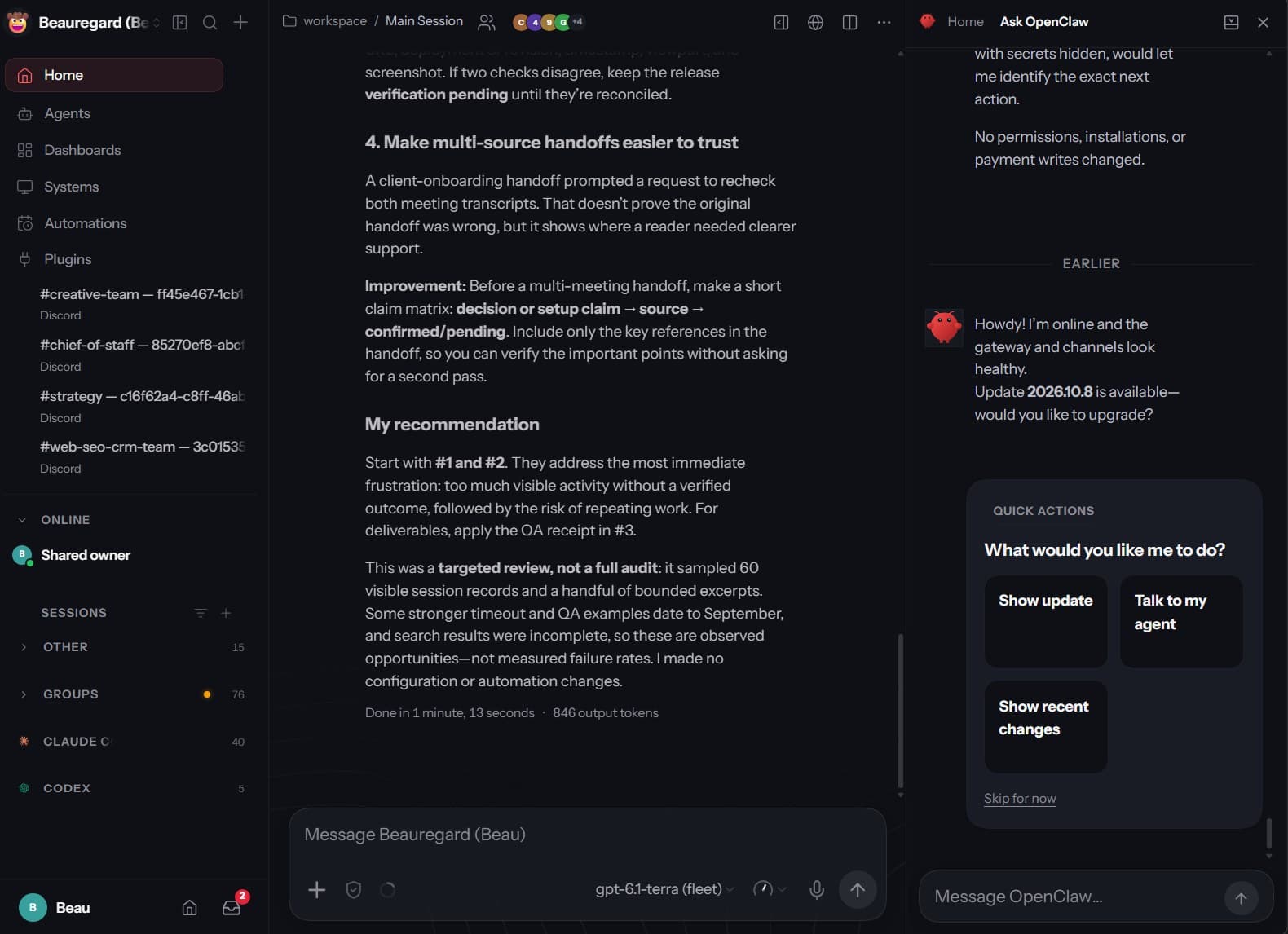
- Conversations at the center, with files, approvals and live work right next to them
- A command palette for background tasks
- Plugins you can browse, install and switch on without touching a config file
- Native apps for Mac, iPhone, iPad and Android when you are away from the desk
Ask for a plan and you get a real checklist, not a wall of terminal text.
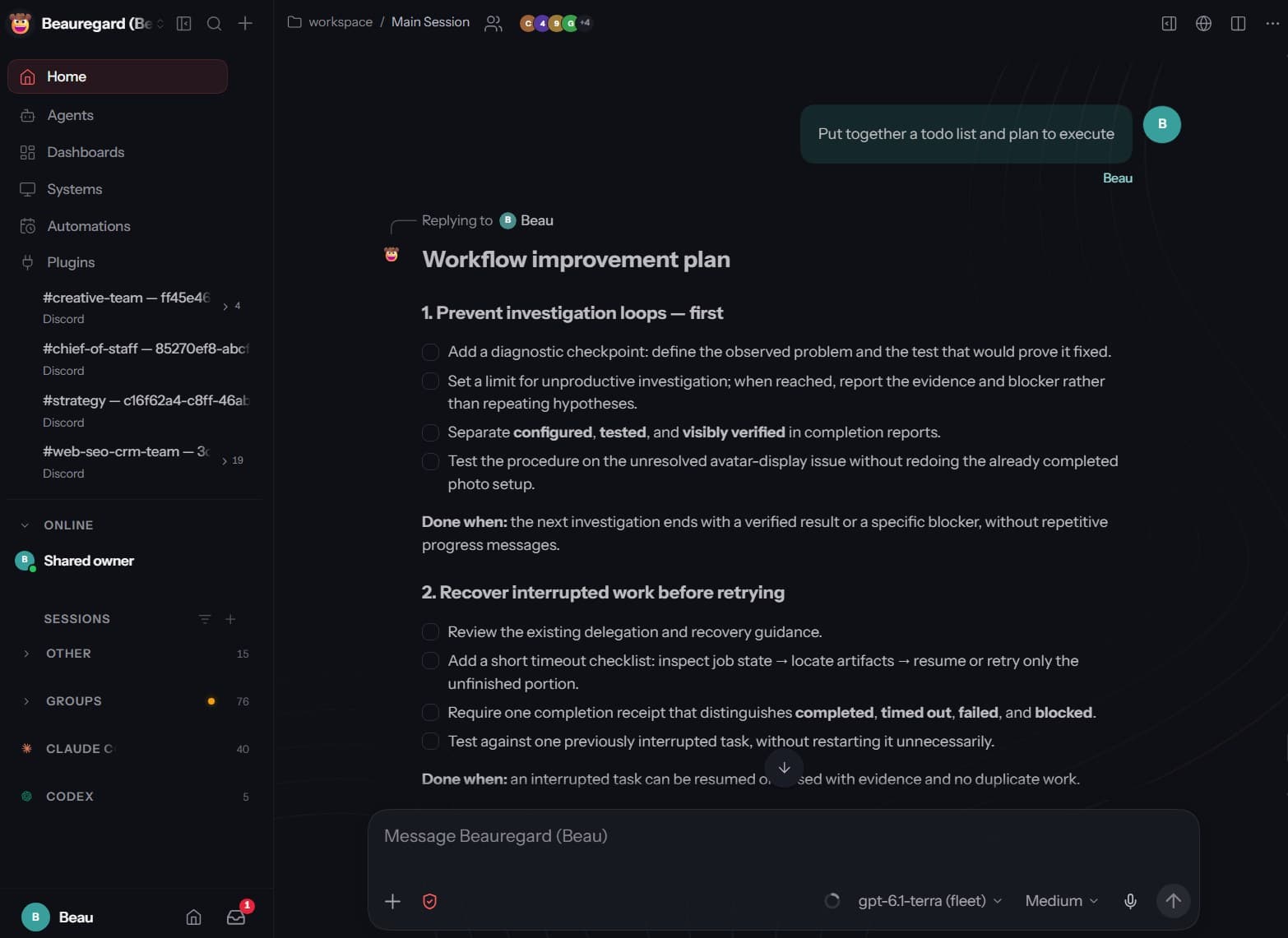
I can hand a team member a link, and they are working in minutes.
No terminal.
No SSH.
No “open PowerShell and type this.”
And it is fast.
OpenClaw is a speed demon.
Next to it, Hermes feels clunky and slow.
There is a reason for that, and it is not all bad. More on it below.
Your Phone Joins the Team
Then there is the phone.
In the web app, I clicked Pair a device.
I scanned the QR code with my Pixel.
Done. My phone was part of my OpenClaw.
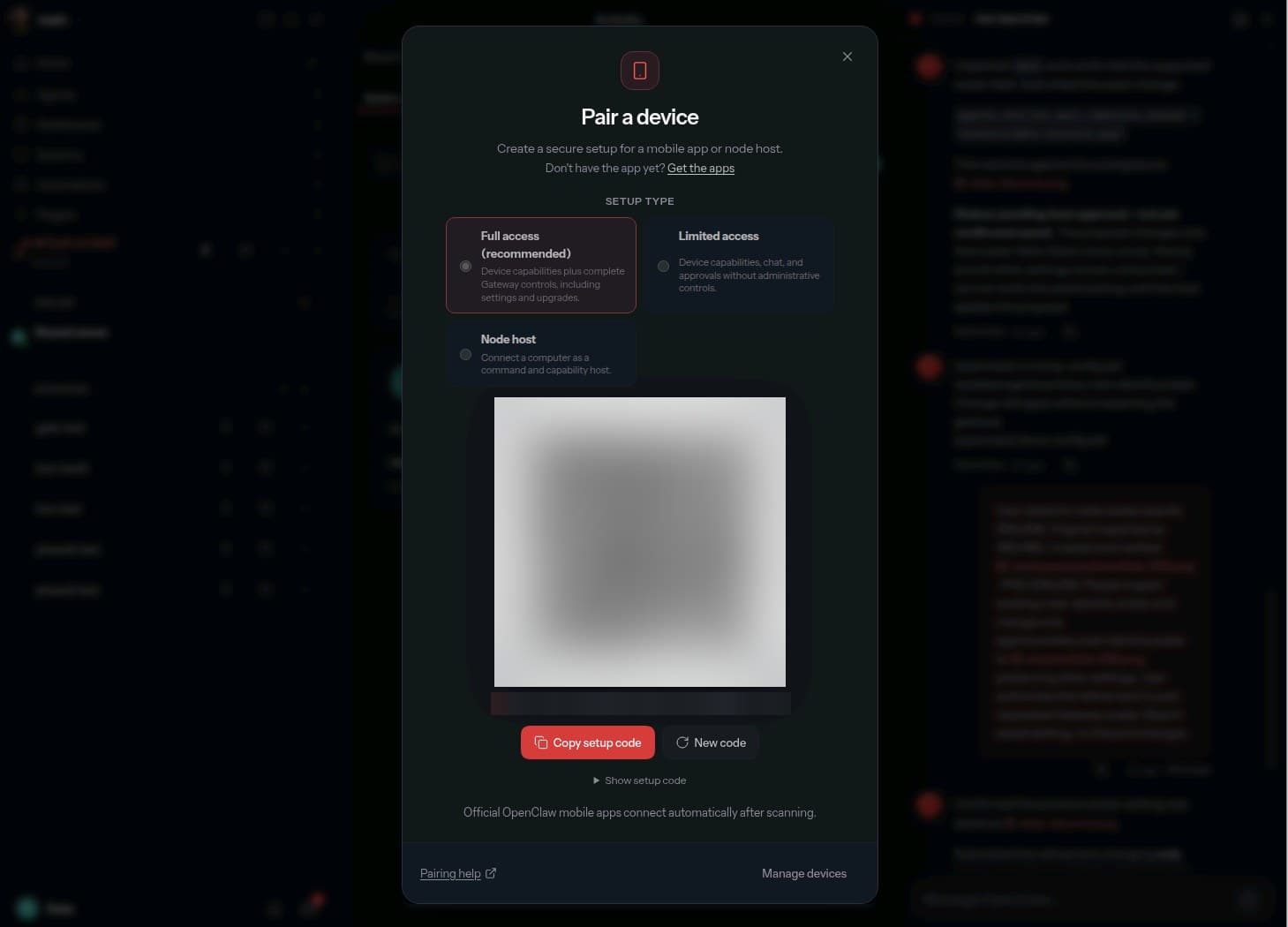
You choose what the phone can share.
Notifications, microphone, camera, location, contacts, calendar.
Every permission is optional.
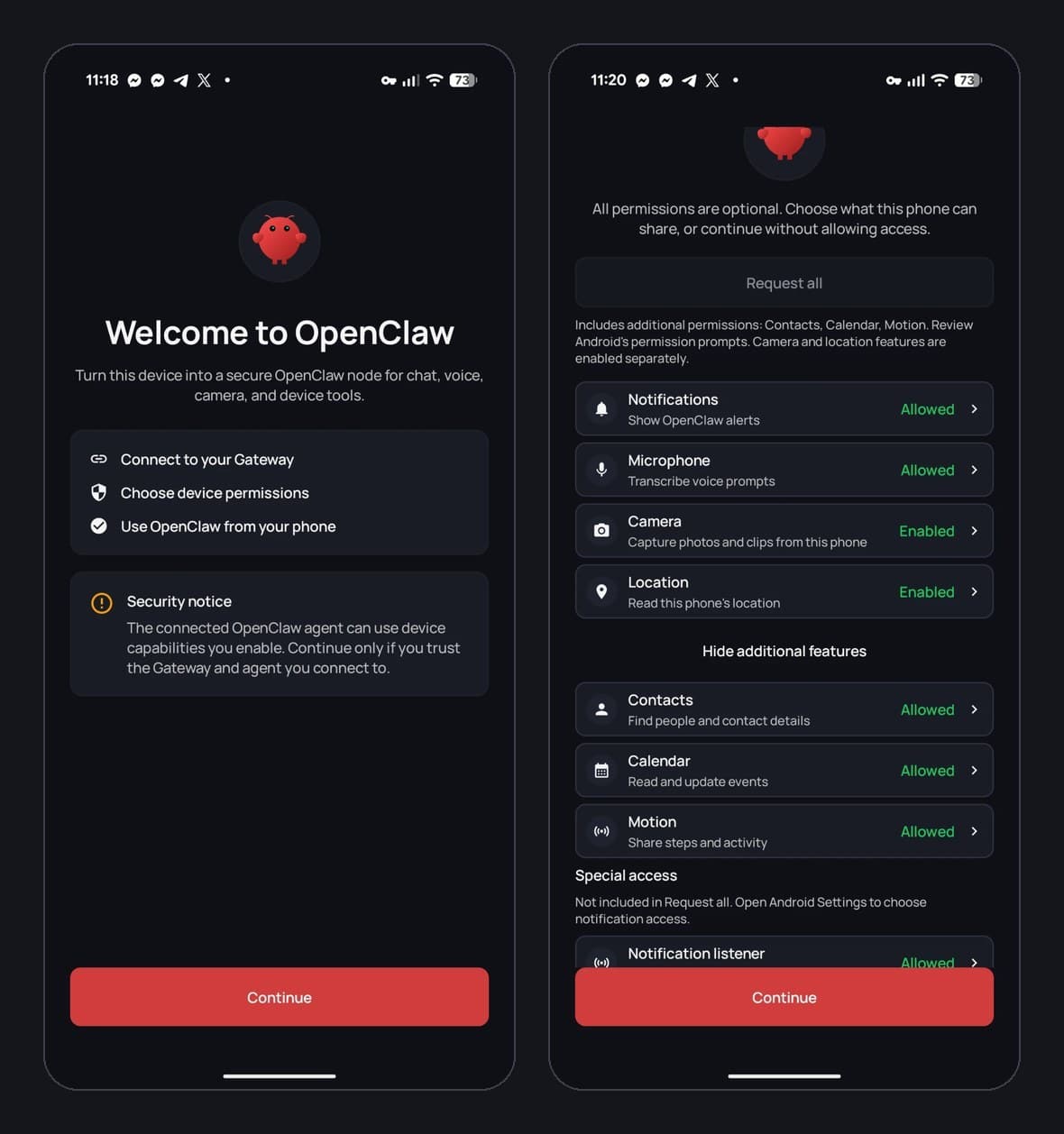
Now I can chat with my agents, or just talk to them, from anywhere.
Slide the effort from faster to smarter.
Same agents. Same threads.
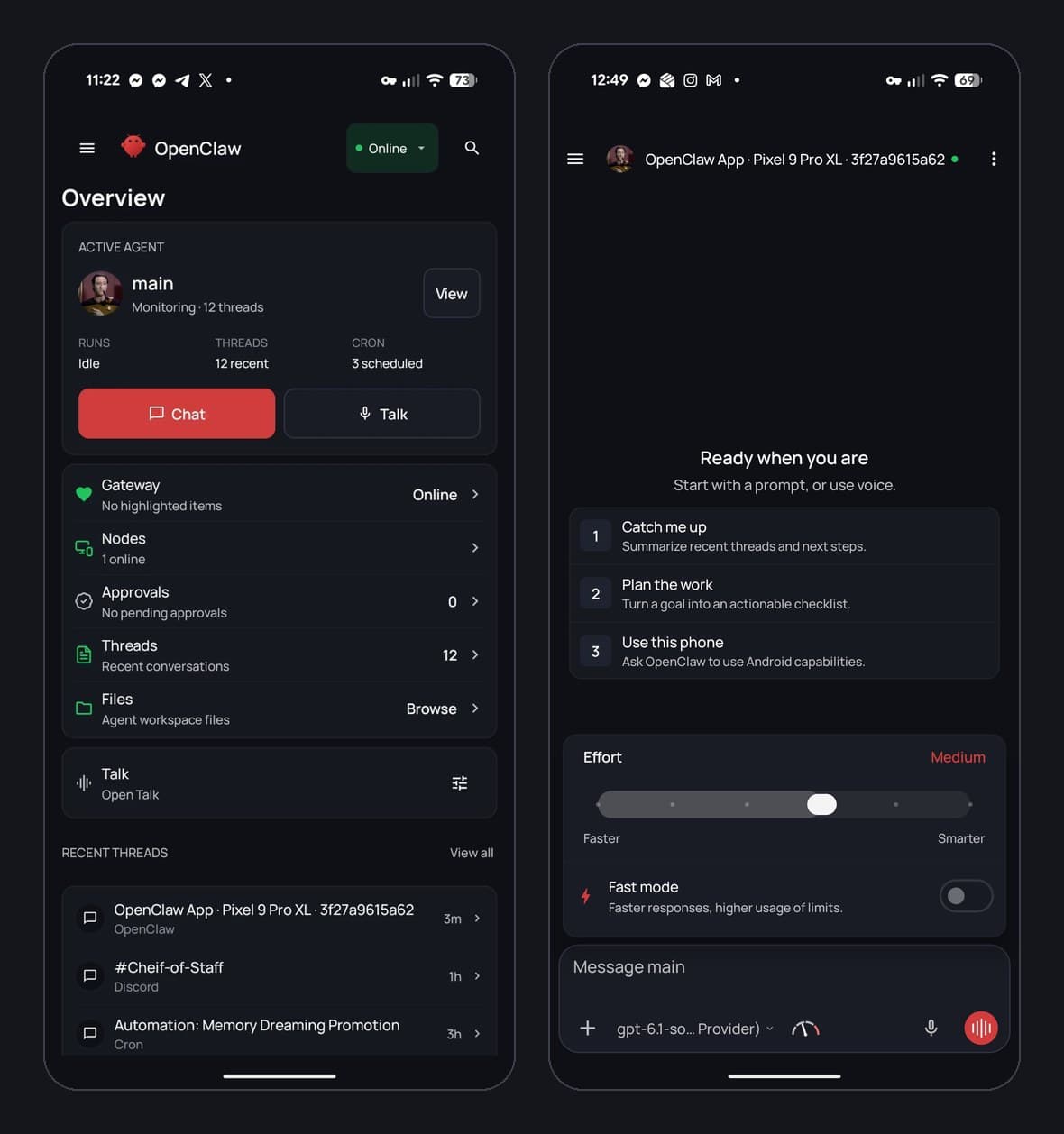
Here is a real one.
I sent my agent three photos from my phone.
Black tee for most days, the blue blazer for dressed up, the suit for formal.
I asked for a character reference sheet.
It came back right in the chat.
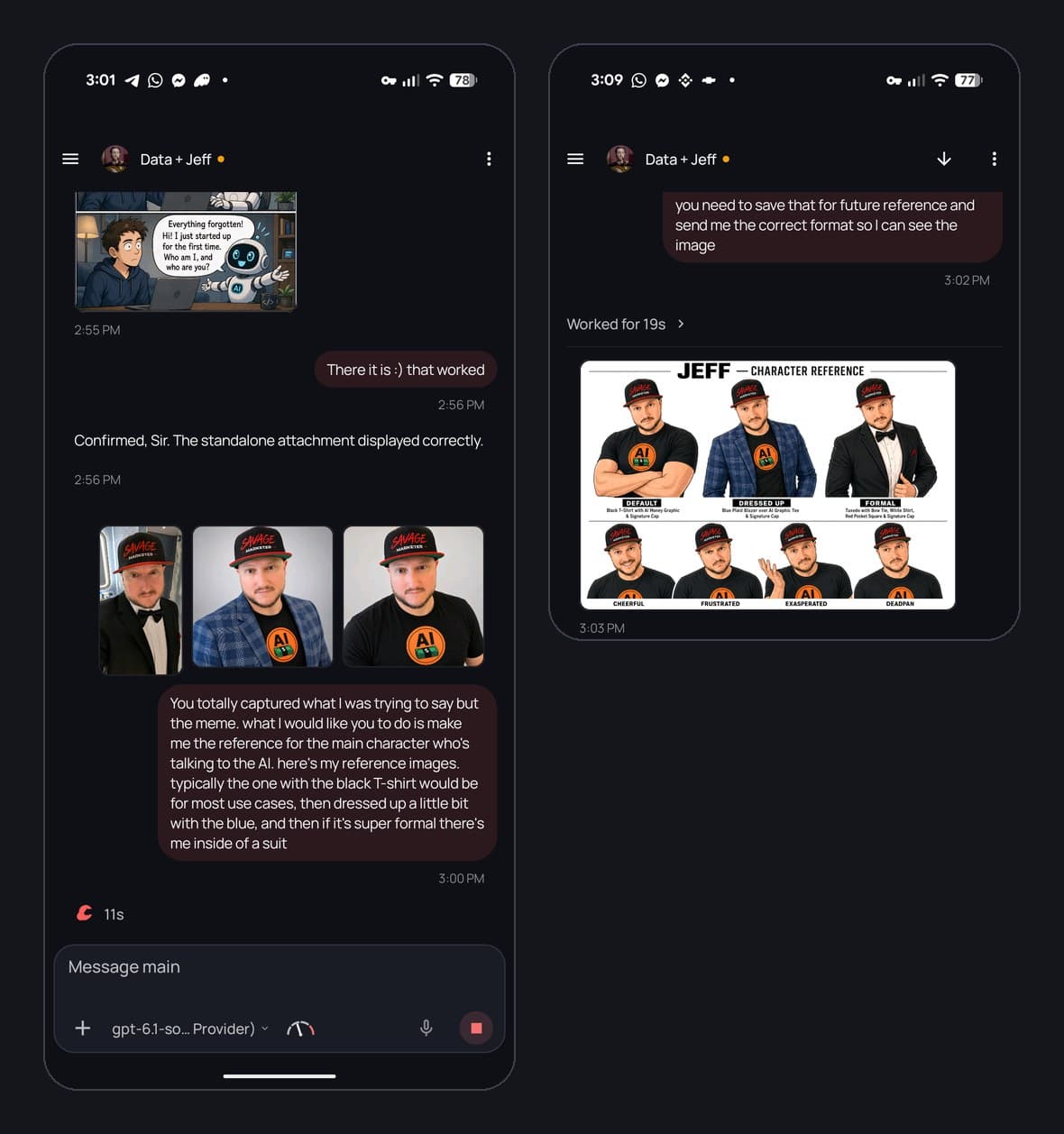
Then came the point of it all.
With the reference saved, it redrew my comic with me as the main character.
And look under it.
It saved how it did the job as a skill.
Then it told me what it learned, and how to undo it.
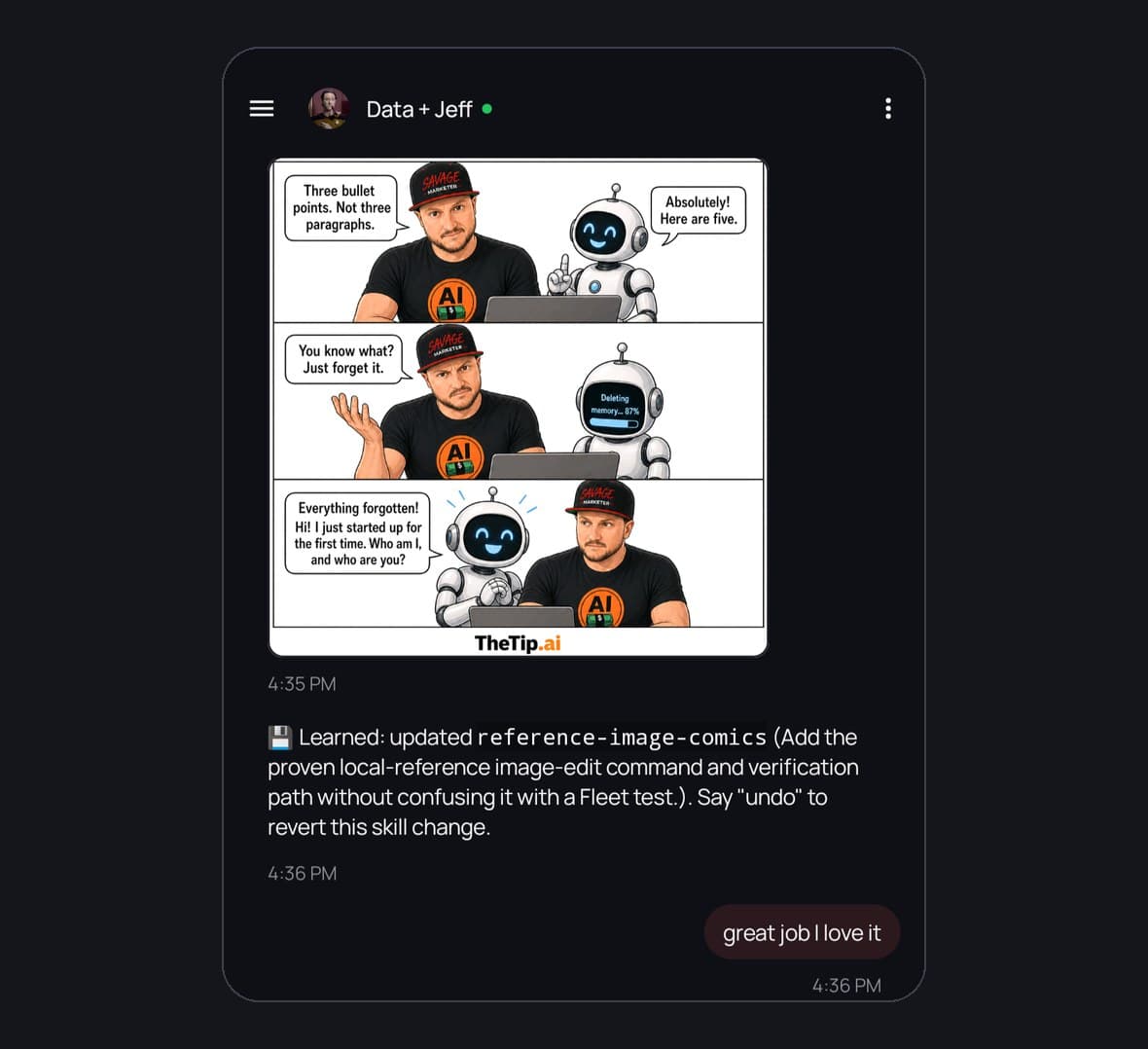
And you do not have to type at all.
The app has Talk Mode. You just talk, and your agent talks back.
My agent is Data, from Star Trek. Here he is, live.
The app is sexy, and it works great.
One warning, and it matters.
Do not leave your gateway open for the world to see.
Use Tailscale.
It puts your phone and your OpenClaw on your own private network.
OpenClaw has it built in.
Set Tailscale to serve, and only devices on your own network can reach your gateway.
Skip Funnel. That one makes it public.
And treat pairing a phone like handing out the keys. Only pair devices you own.
Multi-Agent Is Built In
I love that OpenClaw thinks in teams.
Setup can create a four-agent team for you: a chief of staff, a researcher, a writer and a reviewer.
Each agent can have its own channel, its own identity and its own job.
And agents hand work to other agents.
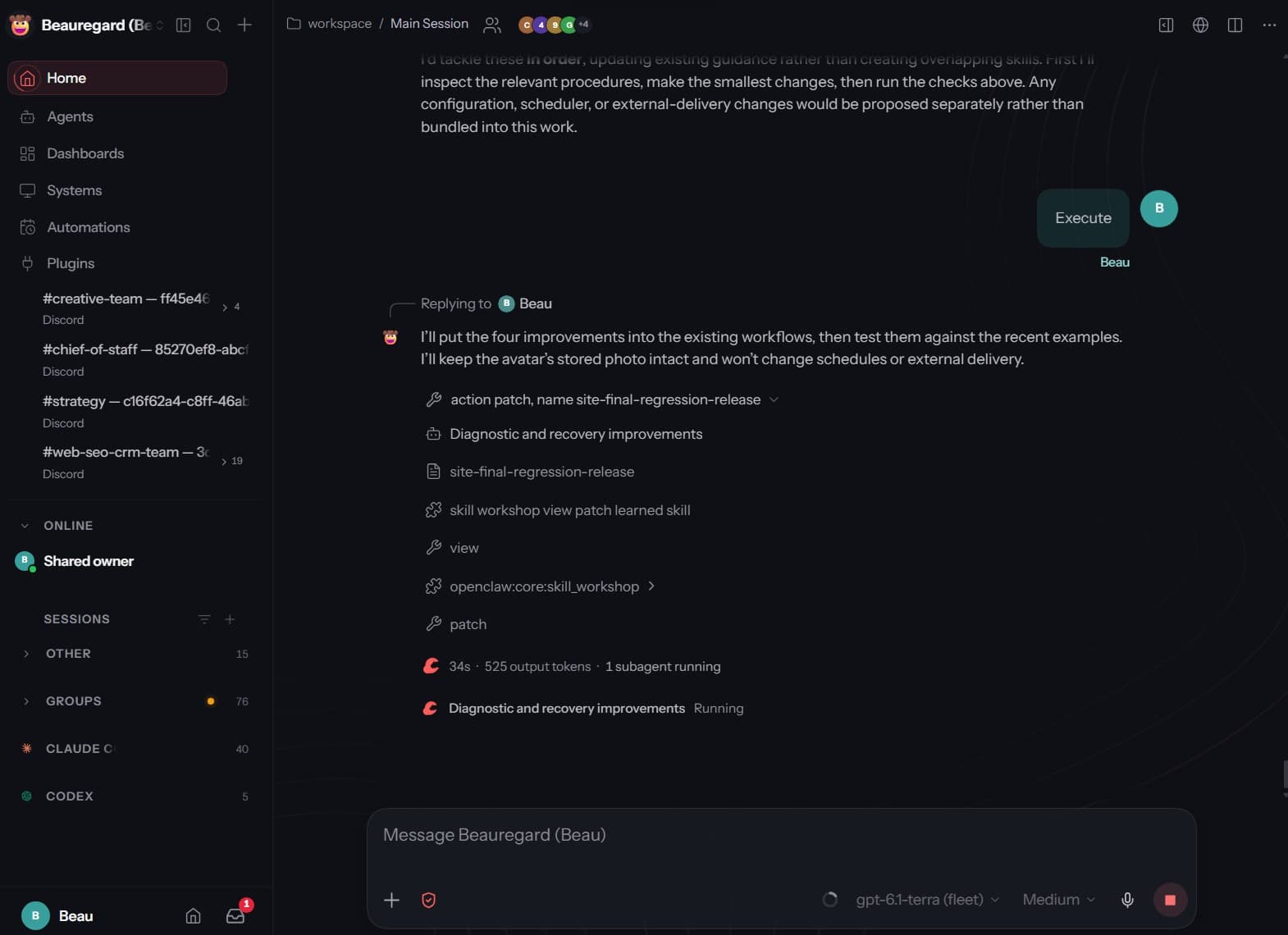
I typed one word: Execute.
Beau patched the workflow and spun up a subagent to finish the job, right in the chat.
That is exactly how I run my business.
One AI Employee per job, each with a human AI Operator watching the work.
OpenClaw is built around that idea.
Most other agents bolt it on later.
Hermes Borrowed. OpenClaw Took It Back.
Here is the real story.
Hermes borrowed a lot from OpenClaw.
It even ships a one-command importer for your OpenClaw setup.
And it got a lot right.
Memory that sticks.
Computer use.
Skills it writes and refines from its own work.
Then OpenClaw took the best of it back.
And then some.
Take self-learning.
It used to be the Hermes headline.
Now OpenClaw does it too.
Its Skill Workshop reviews your sessions in the background and saves what it learned as a skill.
It is on by default.
Look back at the subagent screenshot: “patch learned skill.” That is Beau learning.
Or the comic on my phone: “Learned: updated reference-image-comics.”
And every change it makes has an Undo button.
The catch is the same on both sides.
Hermes users say it can grade its own homework too kindly, and overwrite edits they made by hand.
OpenClaw users have filed issues about skills changing without anyone reviewing them.
My advice: let it learn, and check what it learned.
In OpenClaw, propose mode saves every change as a draft for you to approve first.
Where Hermes Still Wins
I want to be clear.
I have no issue with either one.
Hermes is a great agent, and the team at Nous Research builds it fast.
- It works the problem. Hermes loops more. It retries when a tool fails, and it reflects after big tasks. That is part of why it feels slower.
- It can undo your files. With checkpoints on, Hermes snapshots your working folder before it edits anything. One /rollback and you are back. OpenClaw can undo learned skills and failed updates, but not every file edit.
- It is lean. A smaller core with fewer moving parts, and it is getting smaller.
- It is a builder's tool. If you live in a terminal, Hermes feels like home.
You might guess all that looping helps on smaller, cheaper models.
The one head-to-head I could find says no.
Same 14B Hermes model from Nous Research, same hardware, same five tasks, run through both agents.
OpenClaw scored 91. Hermes scored 75.8.
OpenClaw won with Nous's own model.
It was one person, one evening, one run per task. Not the final word.
It is not perfect either.
Its releases have had misses too: one October build shipped from the wrong commit.
Even Hermes Is Getting Leaner
Here is the part I respect.
Teknium, co-founder of Nous Research, the team behind Hermes, announced they are going lean.
“We are going to lean into making Hermes more like Pi, and less like OpenClaw.”
Pi is the deliberately tiny coding agent: four tools and a short system prompt.
In September, Teknium said the plan was a leaner core with more plugins, starting with pulling all the bundled memory providers out of the core.
Then Hermes 0.22 shipped in October with a default install that got leaner and a codebase a third smaller.
I think that is the right move.
Hermes should be the sharp, minimal agent for builders.
OpenClaw should be the full platform for teams.
Both get better by not trying to be the other one.
Head to Head
| OpenClaw | Hermes Agent | |
|---|---|---|
| Best for | Teams, clients, running a business | Builders who live in the terminal |
| Interface | Full web app plus Mac, iPhone and Android apps | CLI first, plus a desktop app |
| Ease of use | Hand a teammate a link | Built for builders |
| Speed, in my use | A speed demon | Slower. It loops more |
| Small local model test | 91 out of 100 | 75.8, same model |
| Multi-agent | Built in. Setup offers a four-agent team | Subagents and profiles, more hands-on |
| Learning | Skill Workshop learns on its own, with Undo | Writes and refines its own skills |
| Undo | Learned skills and failed updates | Checkpoints and /rollback on your files |
| Direction | Full platform | Leaner core, more plugins |
| Watch out for | Big upgrades, unreviewed skill changes | Self-grading, overwritten edits |
My Setup Today
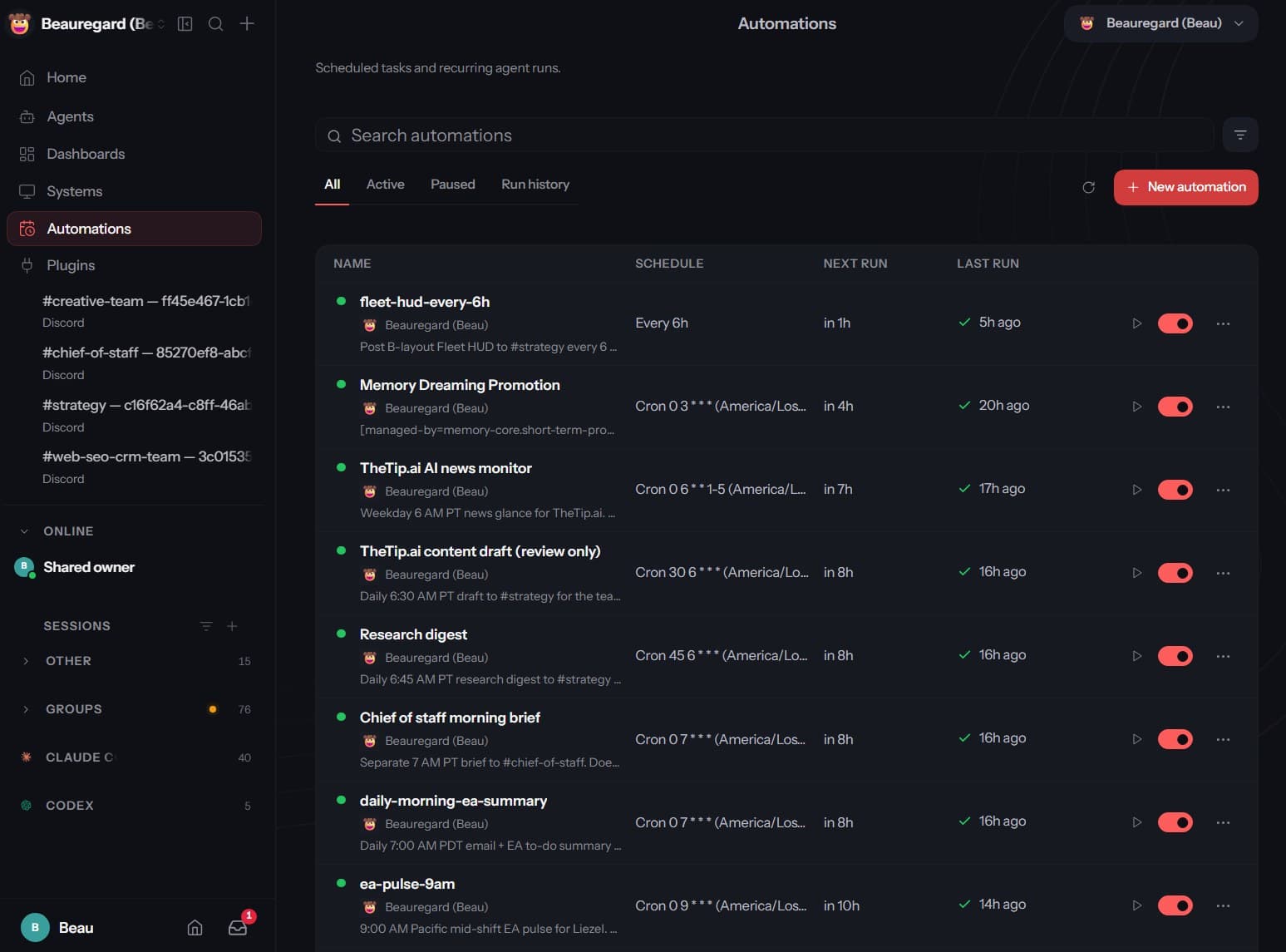
OpenClaw is home base.
My team and clients work in it.
My AI Employees run on it.
Hermes is my sharp knife.
I open it when I want something lean and close to the metal.
One word of caution, because it is still true.
OpenClaw upgrades can still bite.
In October, people on GitHub reported full outage days after big migrations.
So back up before you update, and do not let production auto-update.
That is just running software you depend on.
For my business, OpenClaw wins. And I am glad Hermes exists.
Competition is why both of them got this good, this fast.